

Dala uses credits to generate scaffolds, refine apps, and run advanced features. If you run out of credits, you can easily purchase more at any time.
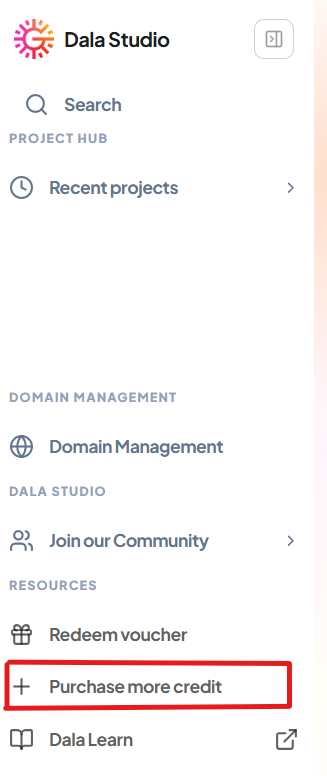
To buy more credits, go to the left menu and click Purchase More Credits.
This will open the purchase page, where you can select a plan based on the number of credits you want.
After selecting your plan, choose your country and enter the required payment details. The available payment methods may vary depending on your location.
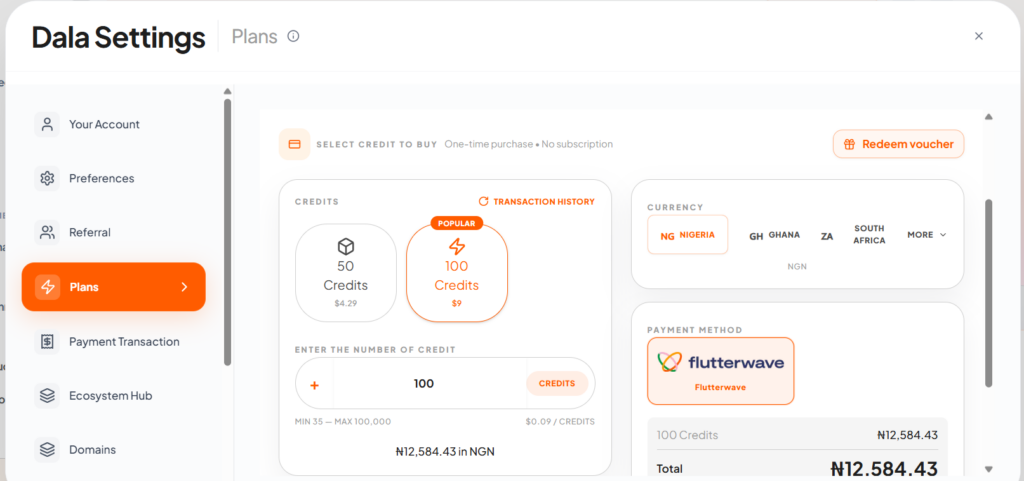
After selecting your plan, choose your country and enter the required payment details. The available payment methods may vary depending on your location.
For example, if you are in Tanzania and want to buy 100 credits, select the 100-credit plan, choose Tanzania as your country, then click Pay to continue.
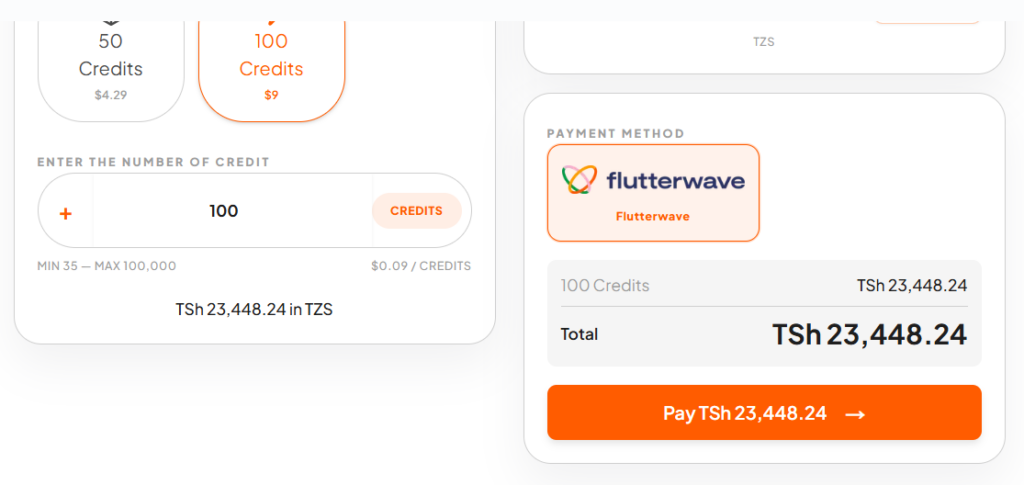
Once you click Pay, you will be redirected to a secure payment page to complete the transaction. This page may open in a new tab or window.
After your payment is successful, you can return to Dala. Your credits will be added to your account automatically, and you can continue building without losing your progress.
Purchasing credits only takes a few moments, so you can quickly get back to creating.