

Dala lets you customize your workspace by switching between different themes.
You can choose the look that feels most comfortable for you while building.
Whether you prefer a clean light interface or a dark focused workspace, you can switch themes anytime. The theme only changes how Dala looks for you — it does not affect your project.
To change the theme, click the sun icon or moon icon at the top of the screen. This will instantly switch between light mode and dark mode.
Below are the available themes you can use.
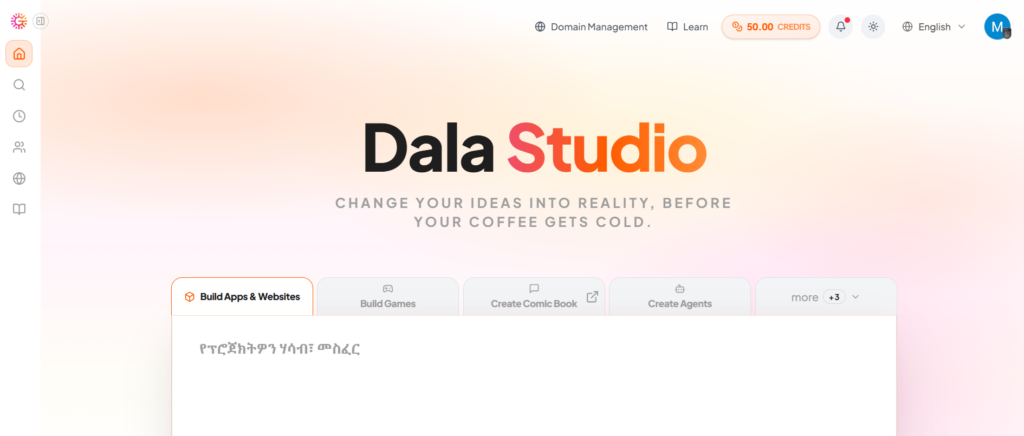
Light Theme
The Light theme gives you a clean, bright workspace that makes text easy to read and layouts easy to see.
This theme is great if you prefer a classic look or if you are working in a bright environment. It keeps everything clear, simple, and easy to follow while you build.
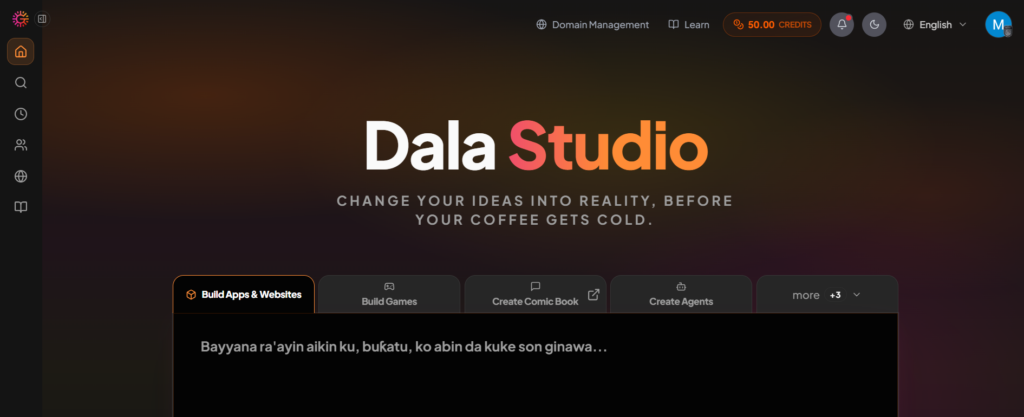
Dark Theme
The Dark theme gives you a focused, modern workspace with darker colors that reduce eye strain.
This theme is perfect for long building sessions or if you prefer a sleek developer-style interface. It helps you stay focused on your prompts, preview, and layout without distractions.
You can switch themes anytime by clicking the sun / moon button, so pick the vibe that helps you build best.

