

Sometimes your prompt works, but it could be clearer, more detailed, or better structured.
Instead of rewriting it yourself, you can use the Enhance My Prompt feature to automatically improve it.
After typing your prompt, click the Enhance My Prompt button.
Dala will rewrite your instruction to make it more precise, more descriptive, and easier for the AI to understand.
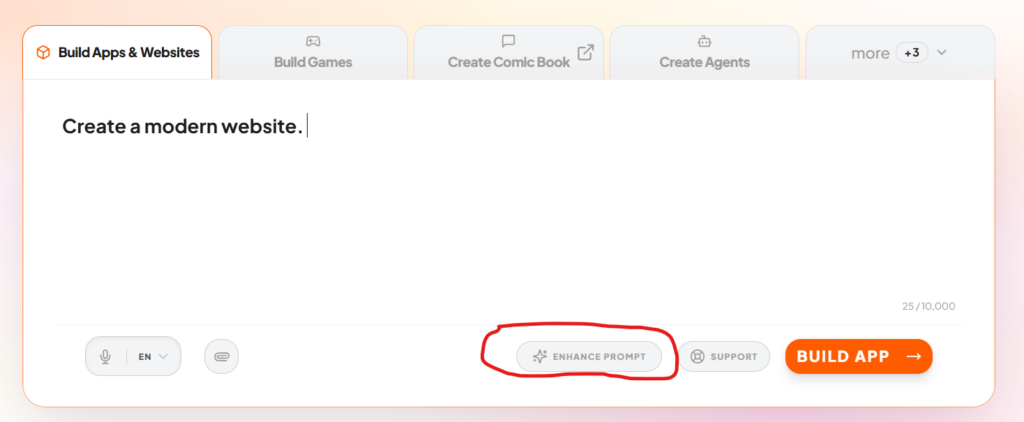
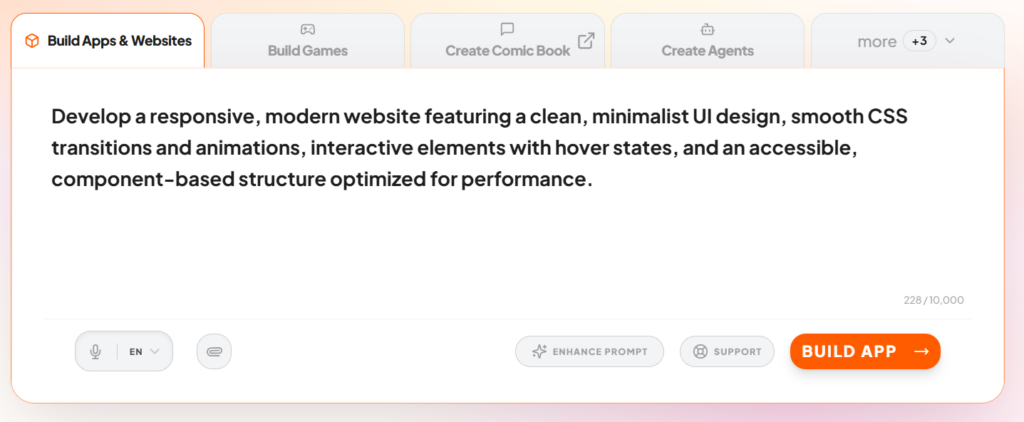
This helps you get better results without needing to know the perfect wording.
You can use this feature when your prompt feels too short, too vague, or when the output is not exactly what you expected.
Examples:
| Original prompt | Enhanced prompt |
| Create a dashboard. | Create a modern SaaS dashboard with user login, a sidebar menu, charts for analytics, and a table showing recent activity. |
| Make the design better. | Improve the UI design using a clean layout, better spacing, modern fonts, and a blue and white color theme. |
| Add payments. | Add a payment system with Stripe integration and a button for users to subscribe to a monthly plan. |
Using Enhance My Prompt helps you stay in the flow while still getting high-quality results.